
Tap one — pick a day
Every room, every day, one screen.
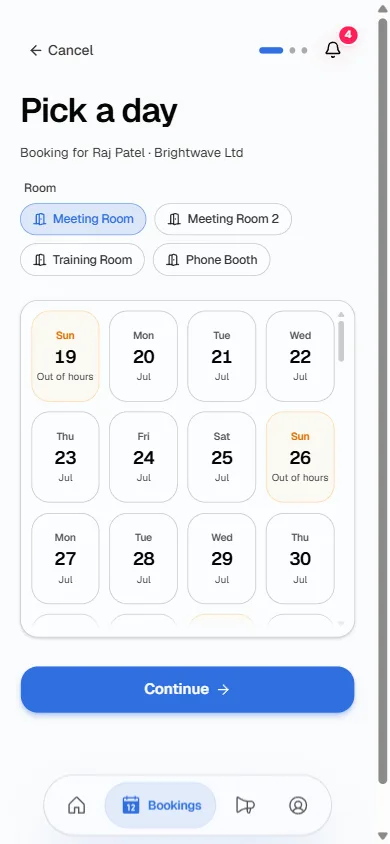
Rooms are buttons, days are a strip. Sundays show as out of hours, closure dates show as Closed. Nothing to explain.
Room booking
Pick a room, pick a day, pick a time. Free times are the only times your tenants can pick — so double bookings simply can't happen.
Every screen on this page is real, from a working building.
Tap one — pick a day
Rooms are buttons, days are a strip. Sundays show as out of hours, closure dates show as Closed. Nothing to explain.
Tap two — when and how long
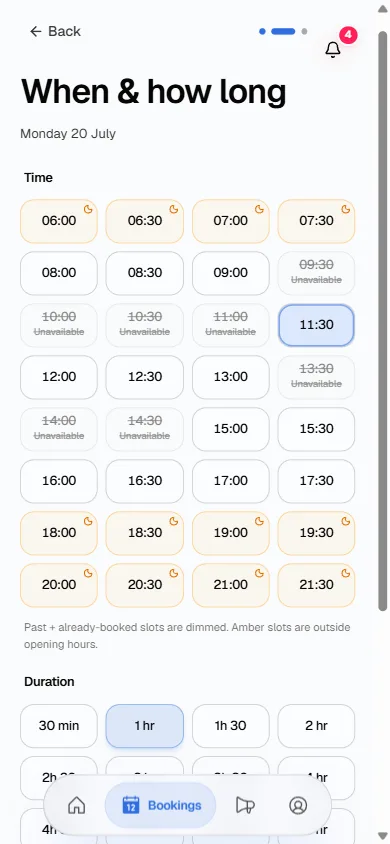
Booked slots are dimmed. Out-of-hours slots show amber before anyone commits. Half-hour steps from 30 minutes to 8 hours.
Tap three — check and confirm
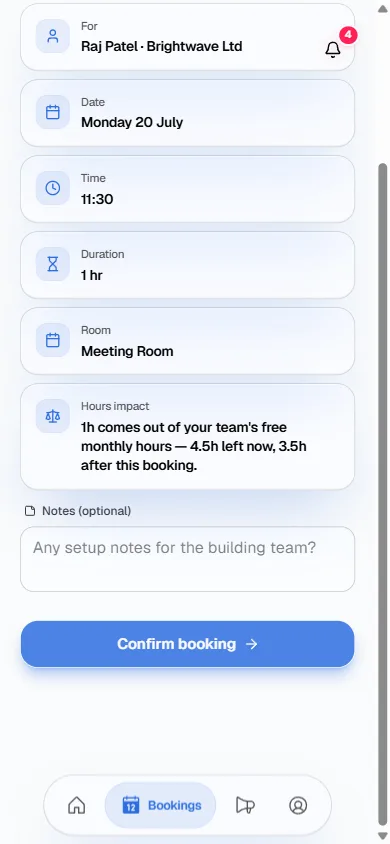
One line says what the booking takes and what's left after. Setup notes reach the building team with the booking.
Free hours that add up
Every company gets free monthly hours. Booking takes from them, cancelling gives back by your rules, and the app shows the sums before anyone confirms. Used and left always add up on one card.
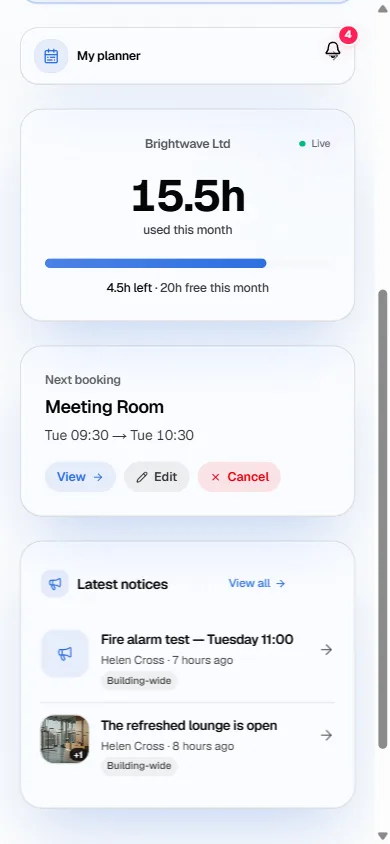
15.5 used, 4.5 left, 20 free. It always reconciles.
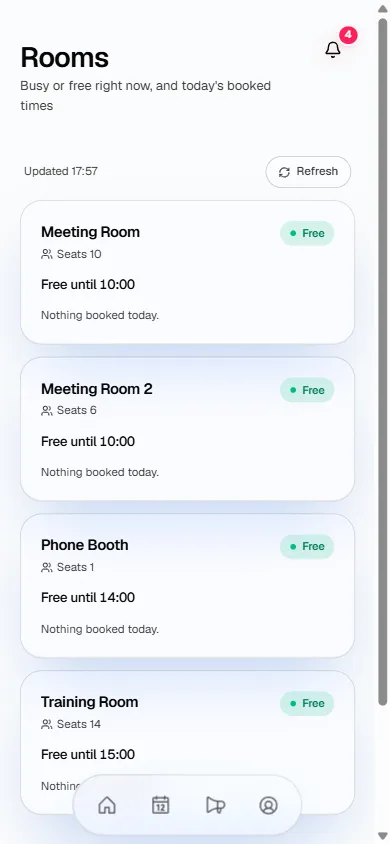
Every room's live status, without walking the corridor.
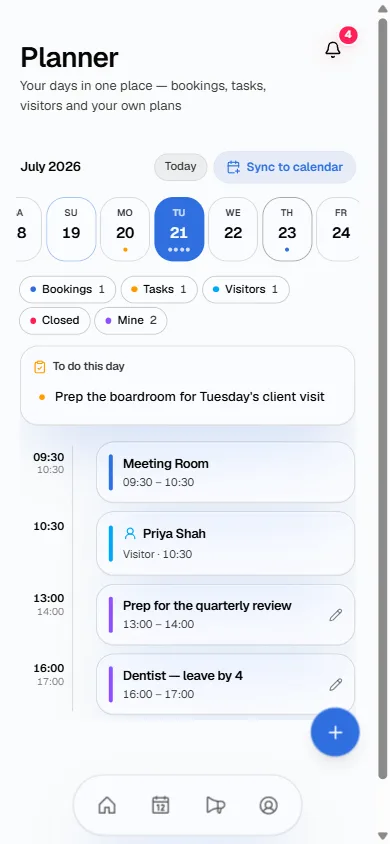
Bookings, tasks, visitors and their own plans. Syncs to their own calendar.
24h notice → hours back
Hours go back by the rules you set. Give a day's notice, get them back — same-day is your policy to choose.
Twenty minutes on a call, on a real building. £150 + VAT a month, everything included.